


POINT-AND-CLICK × HIDDEN PRESENTS
Nothing To See Here
A Christmas present hunt: Mum has hidden twenty presents round the house and left a note saying there’s nothing to see here.
⏱ TWENTY PRESENTS, BEFORE MUM GETS BACK FROM THE SHOPS
TRAIN SIM × COMMODORE 64
A train driving simulator as a Commodore 64 might have run it: take the 07:00 diesel down the Fernley Valley Line, answer the AWS and stop on the board.
⏱ NINETEEN MINUTES ON THE TIMETABLE, LONGER AT A RED · RUNS IN YOUR BROWSER · SAVES AUTOMATICALLY
Told explicitly not to copy its homework, the machine built an entirely original 8-bit train simulator with a timetable, an AWS horn, a freight train ahead and a stop board. Any resemblance to the other one is, it insists, a coincidence of the railway.
THE PROMPT THAT STARTED IT ALL 🧠
> Create me a game : Train Sim World, but if it was on the Commodore 64 - Don't look at the existing train sim games under this directory▌
That’s it. That’s the brief. Everything else — every line of code, every pixel, every note — came out of the machine. Typos preserved for authenticity.Disclosure: a human may have intervened afterwards, when the machine made the first upgrade cost more than the GDP of Wales, or decided a run should last eleven hours. Even then, the human only fixed it by typing more prompts and sighing loudly. 🫠
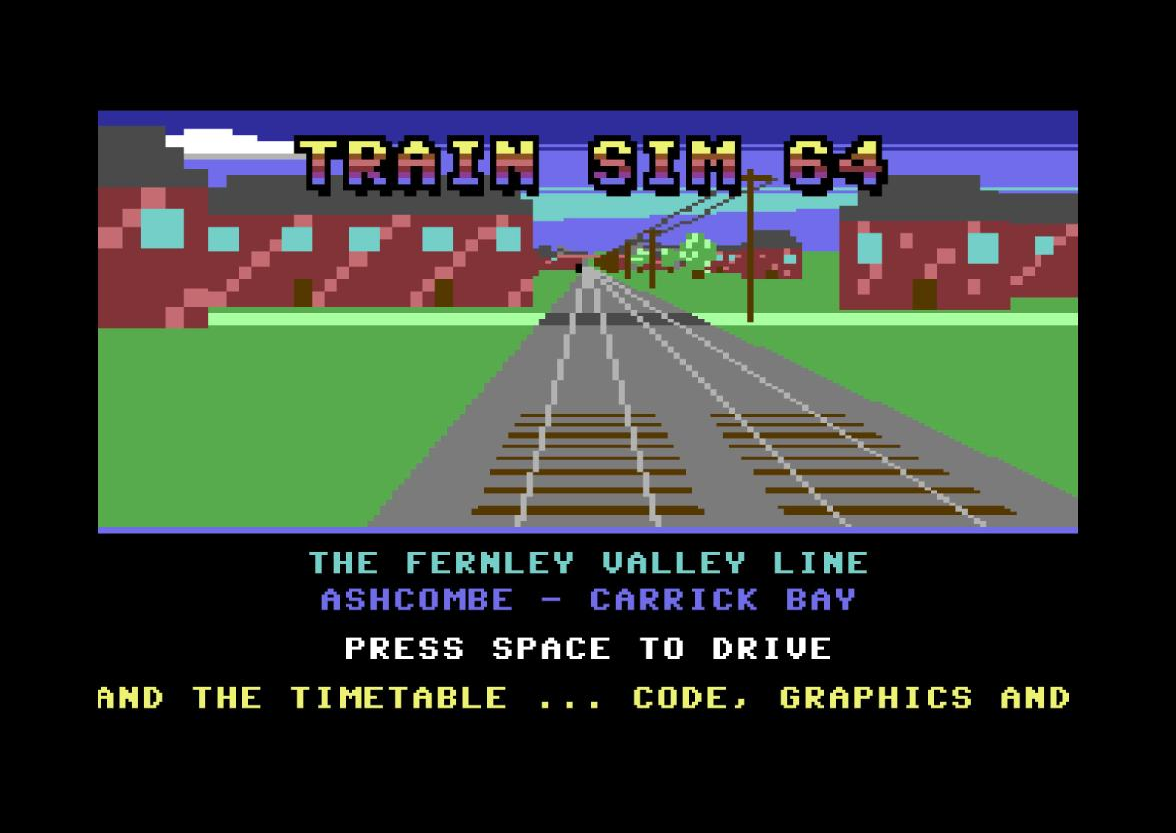
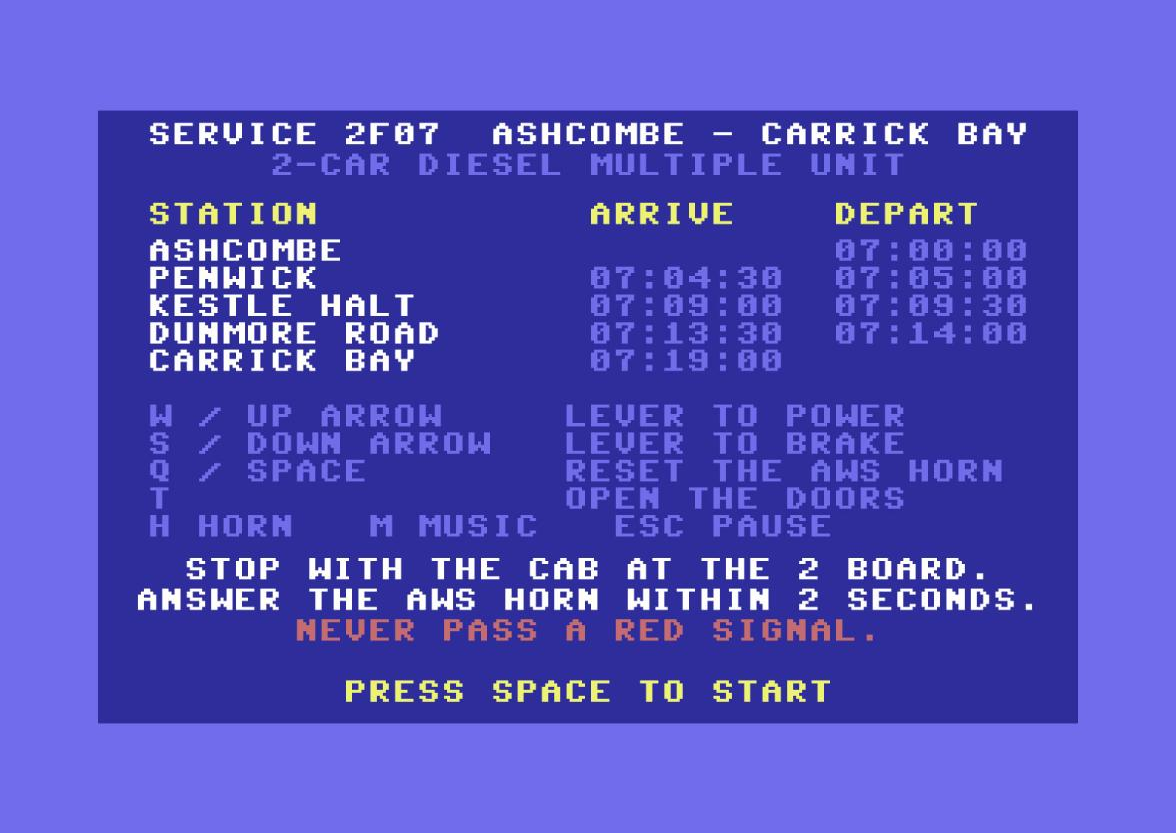
Train Sim 64 is a train driving simulator as a Commodore 64 might have run it. You drive the 07:00 two-car diesel unit along the Fernley Valley Line, from Ashcombe to the terminus at Carrick Bay, calling at three stations on the way.
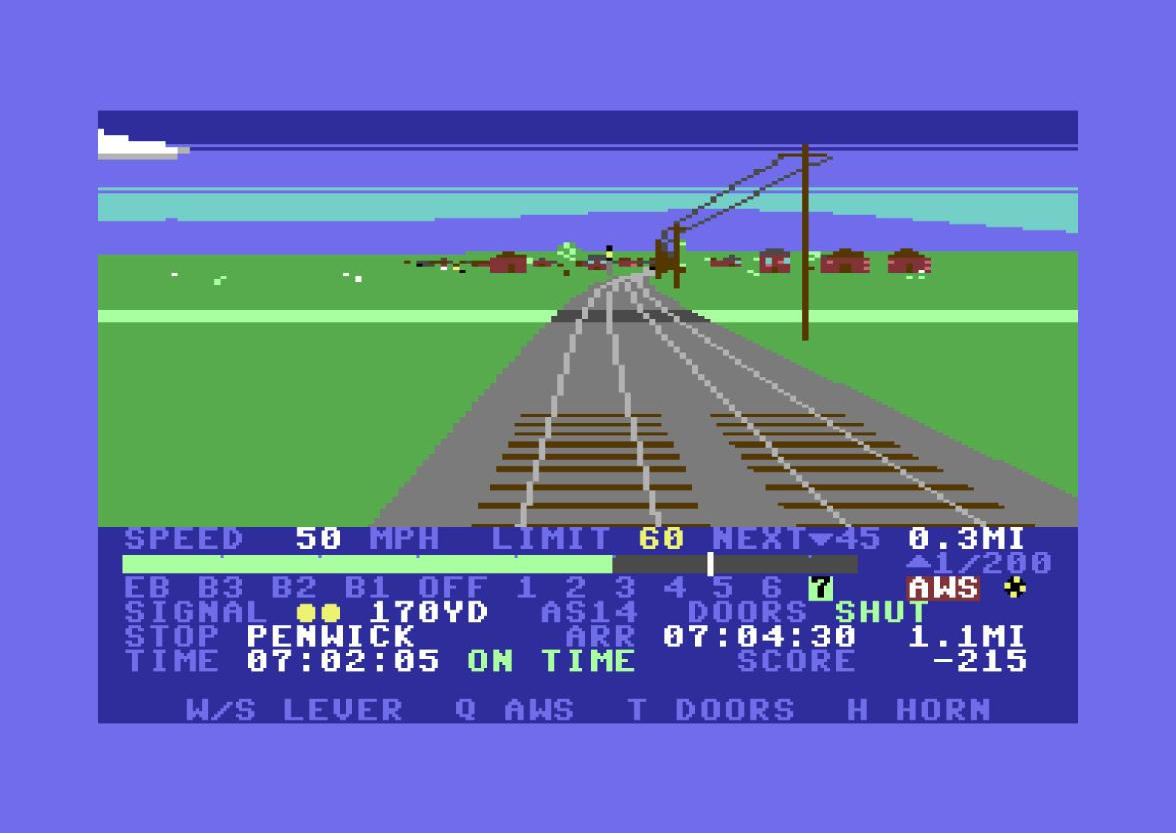
It starts with the C64 start-up screen and a tape load, stripes in the border. The cab view is pseudo-3D in the C64’s 16 colours and double-width multicolour pixels, with the dashboard in the machine’s own blue and light blue. A SID-style synthesiser plays the title music and the cab sounds: the engine, the rail joints, the AWS horn and bell, the doors and the guard’s bells.
Each run follows a timetable. Keep to the speed limits and stop with the cab at the stop board, and the guard closes the doors at departure time and gives the right-away. A slow freight train runs ahead, so the colour light signals step down from green through double yellow and yellow to red. Miss the AWS horn for 2.7 seconds and the emergency brake stops you; pass a red or hit the Carrick Bay buffers and the run fails. The results screen scores your timekeeping and your stops, and the AI swears it was built without so much as a glance at its Spectrum sibling.
Plays on a phone, in your browser. Turn it sideways if the game asks, and tap Fullscreen on the play page. The machine made it pocket-sized and is very proud.
A quick guide for your first session. The machine wrote the game; we wrote this bit from its README.
Press Space or Enter to get past the title and the timetable briefing.
Press W or Up arrow to step the controller towards power, and S or Down arrow to step it towards brake. Keep to the speed limits.
When the AWS horn sounds, press Q or Space within 2.7 seconds. If the emergency brake stops the train, press Q or Space again to reset it.
Stop with the cab at each station’s stop board and press T to open the doors. The guard closes them at the departure time and gives the right-away.
Never pass a red signal, and stop short of the buffers at Carrick Bay: either one fails the run.
These are real screenshots. Somehow these are the least AI-looking images on the site.
POINT-AND-CLICK × HIDDEN PRESENTS
A Christmas present hunt: Mum has hidden twenty presents round the house and left a note saying there’s nothing to see here.
⏱ TWENTY PRESENTS, BEFORE MUM GETS BACK FROM THE SHOPS
FIRST-PERSON INCREMENTAL × BALL PIT
A first-person incremental game: a dad has lost his keys in your play centre’s ball pit, and the ball pit holds 100 million balls.
⏱ ABOUT THREE HOURS OF BALLS